
How To Turn Off Assignment Due Dates
This guide provides step-by-step instructions for turning off assignment due dates in Develop.Me, allowing admins to provide greater flexibility for learners to complete assignments at their own pace without specific deadlines.
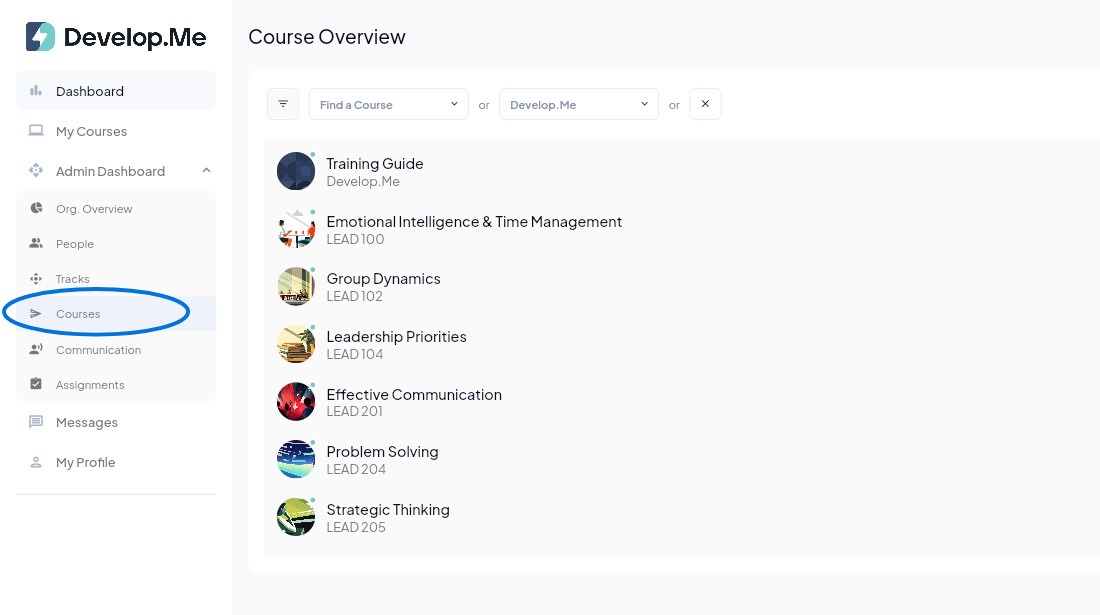
1. Navigate to the "Courses" tab in the left menu bar. Then, select the course you want to set private.
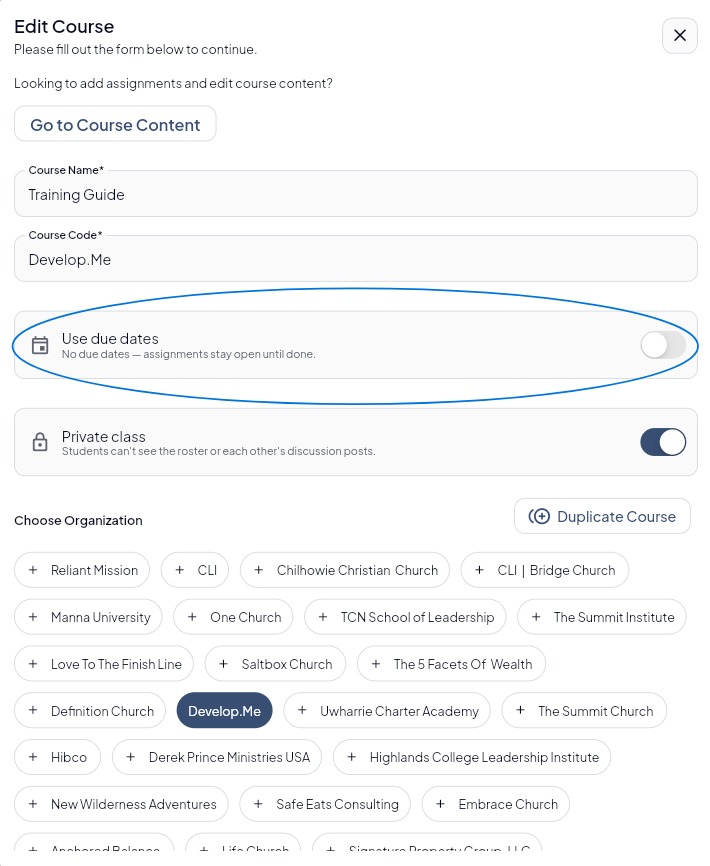
2. In the “Edit Course” window, locate the “Use Due Dates” option and toggle the switch OFF to disable assignment due dates. This allows assignments to remain open until completed, giving users the flexibility to work at their own pace.
3. Congratulations! You’ve successfully turned off due dates for course assignments.