
How To Build A Guided Path
The Guided Path provides a structured way to move through course content in the intended order. By following this guide, admins can create a linear learning path that helps users engage with course content step by step and complete activities in the appropriate sequence.
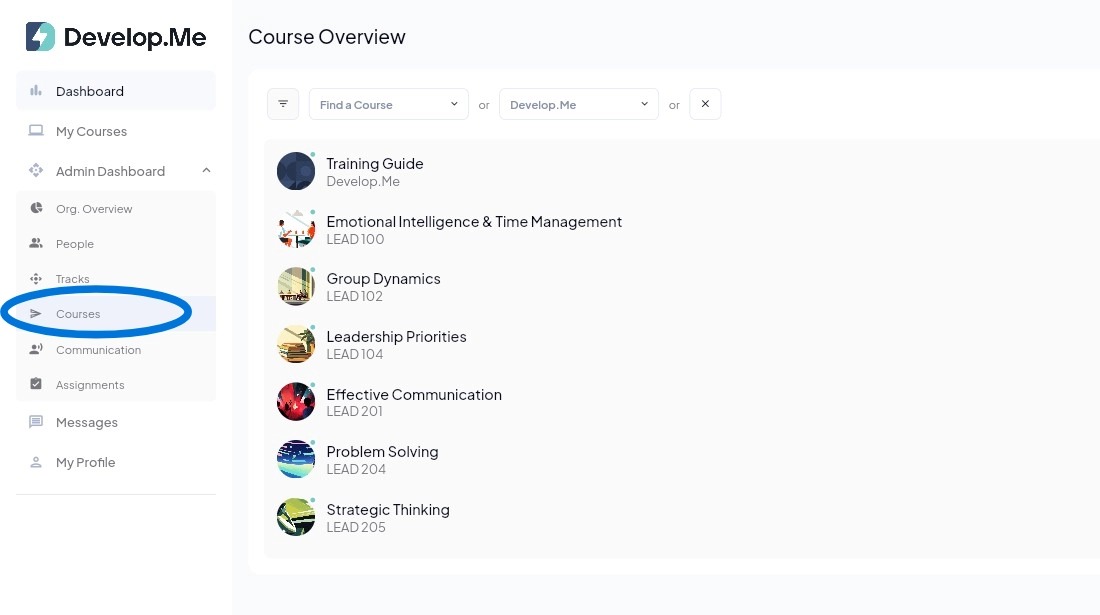
1. Navigate to the "Courses" tab in the left menu bar. Then, select the course for which you want to create a Guided Path.
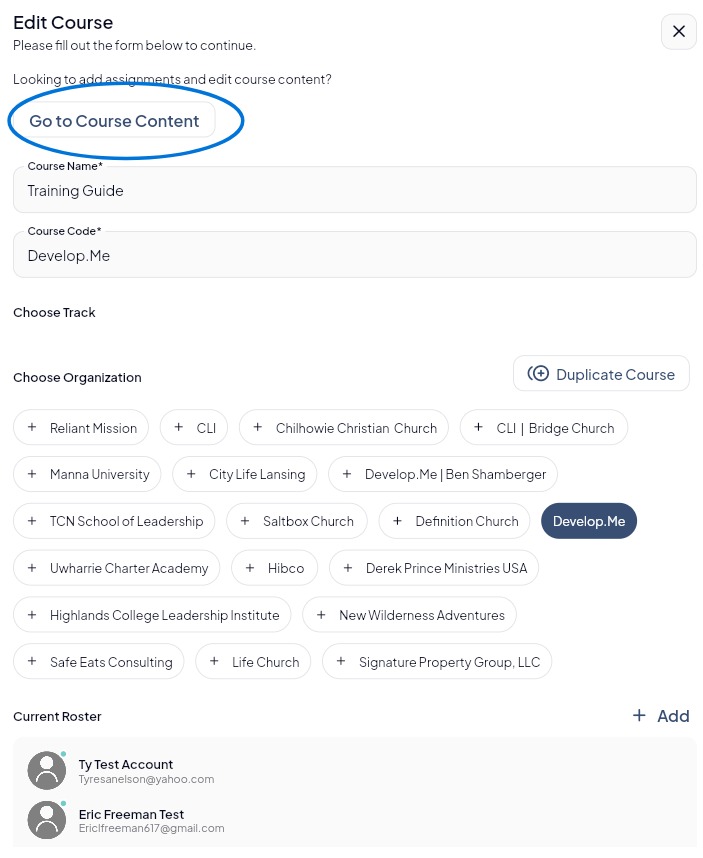
2. Click “Go to Course Content” to begin creating the Guided Path.
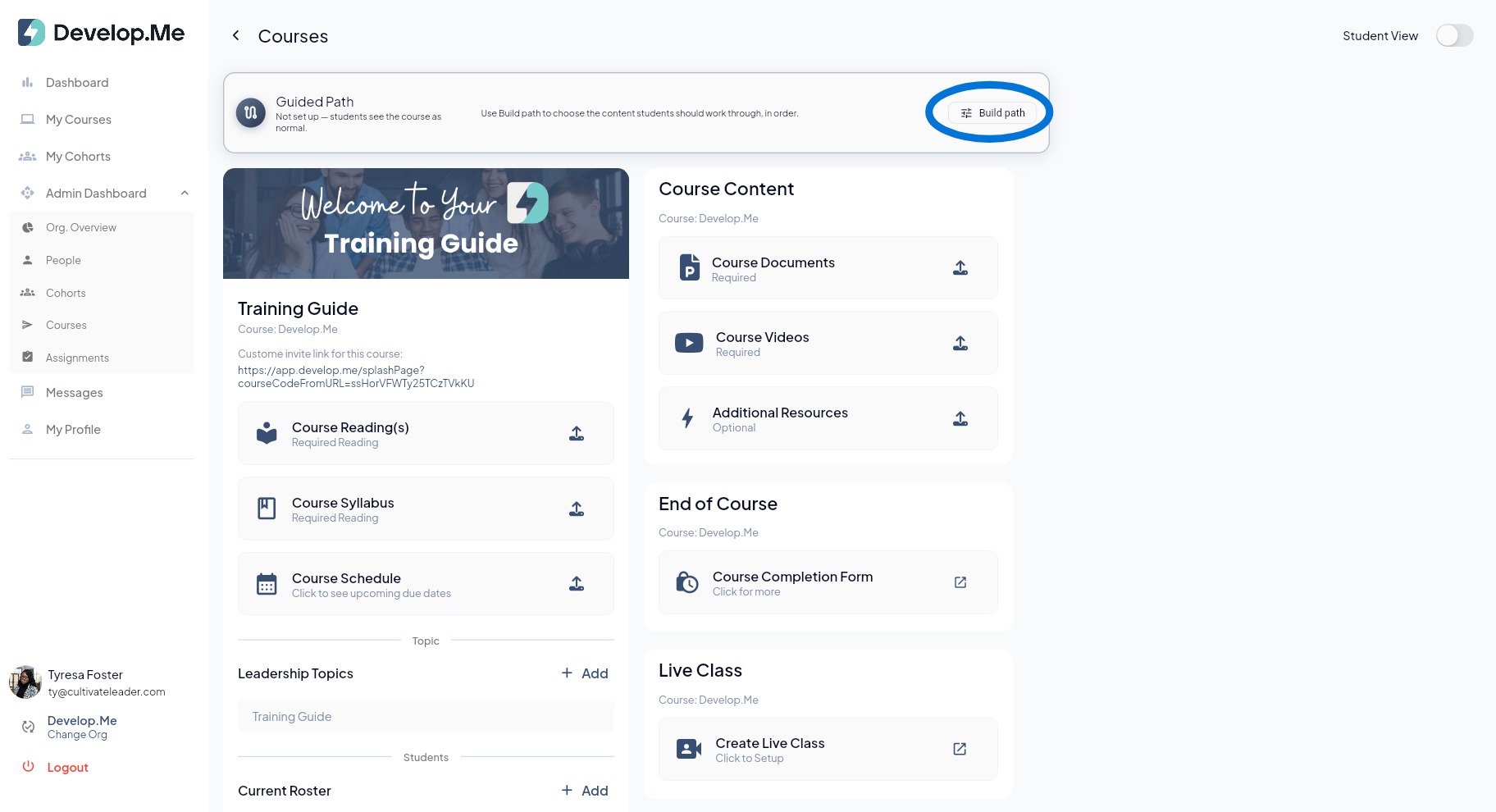
3. At the top of your course, you will see the Guided Path. Click the "Build path" to begin creating the learning path for users.
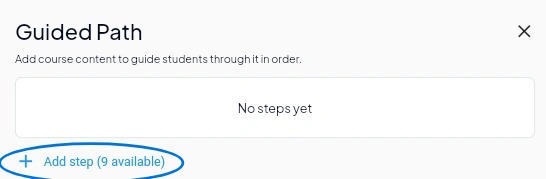
4. In the Guided Path panel, click "+ Add step" to begin building the learning path. Select the course content you want users to complete, and continue adding steps in the order you want them to progress through the course.
5. Once your steps have been added, drag and drop each item to arrange the content in the order you want users to complete it. The numbered sequence reflects the order users will follow through the Guided Path.
To remove an item from the path, click the X on the right side of that step.
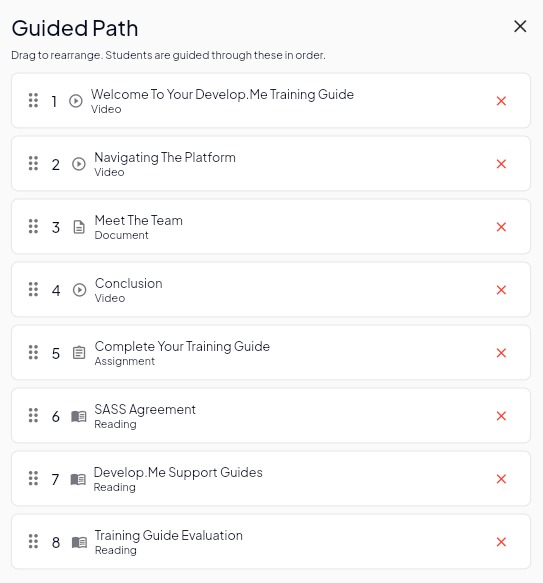
6. Congratulations! You’ve successfully created a Guided Path.