
How To Remove Tags From A User
This guide provides step-by-step instructions for removing tags from a user. Tags help you organize users, making it easier to filter, categorize, and manage information efficiently.
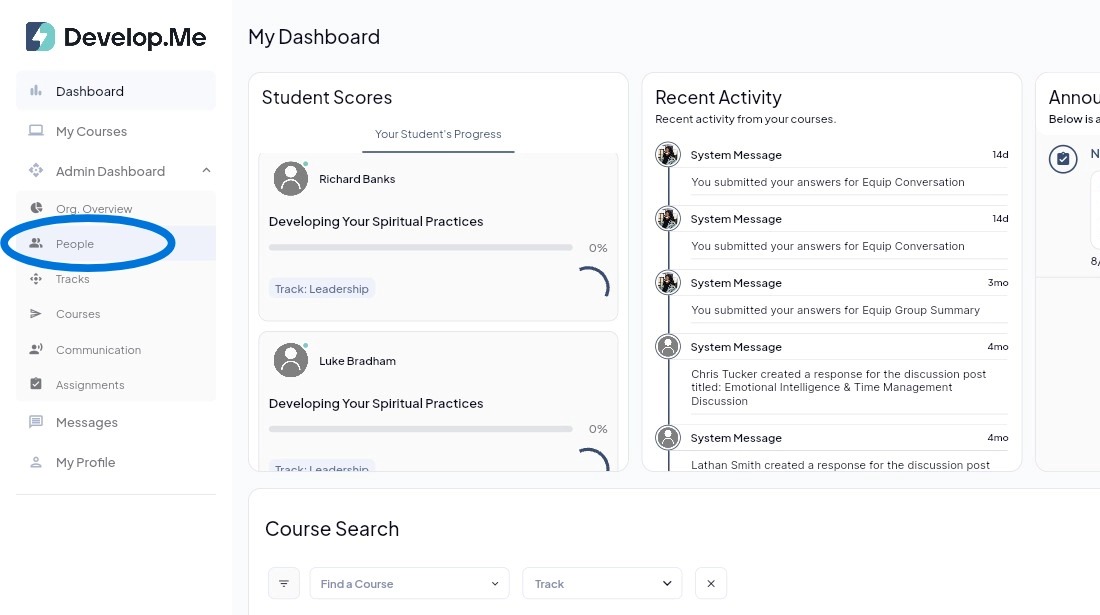
1. Navigate to the “People” tab from the left-hand menu bar to view and manage all tags.
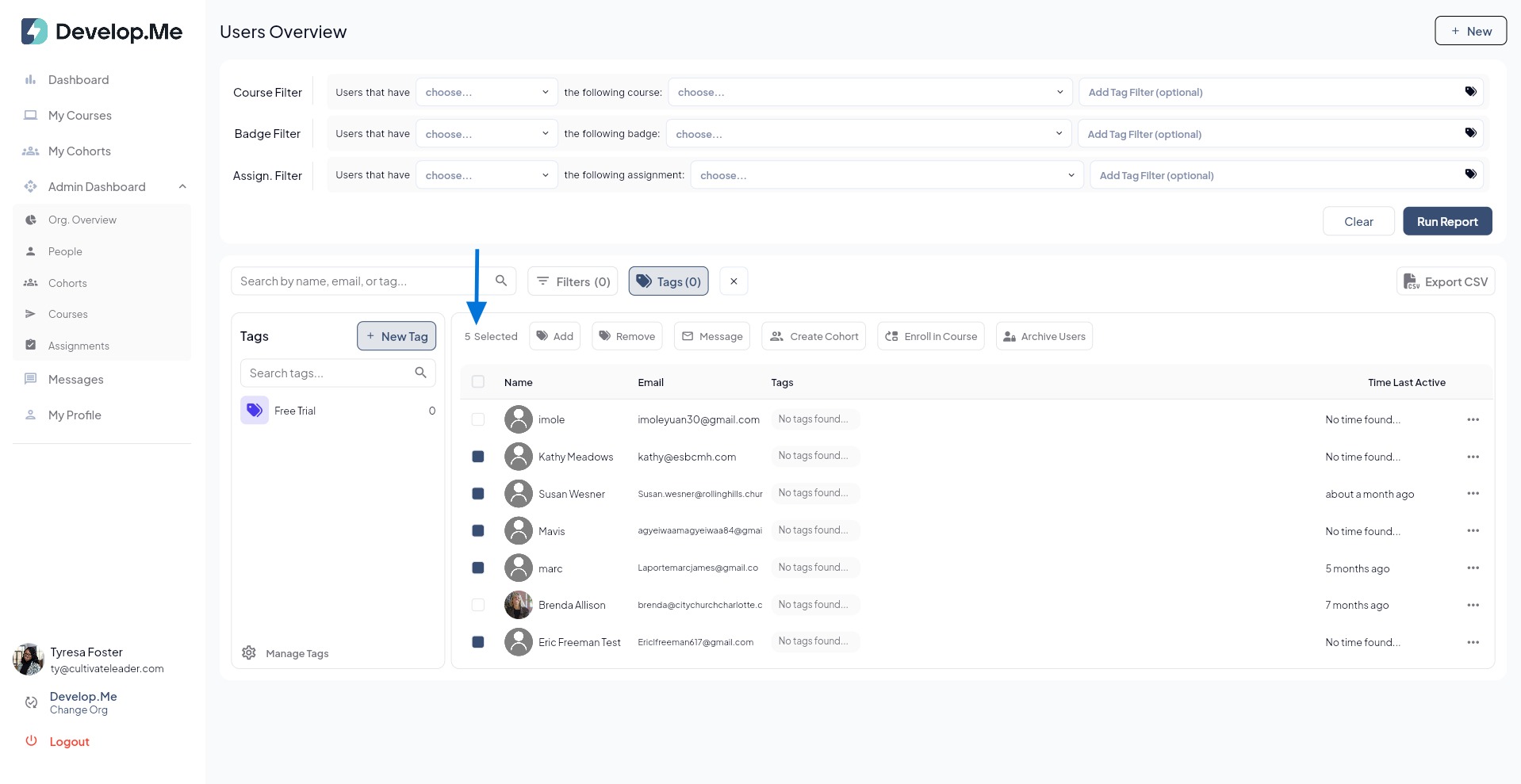
2. Select the checkbox next to each user you want to remove the tag. To select all users, click the checkbox at the top of the list and click "Remove".
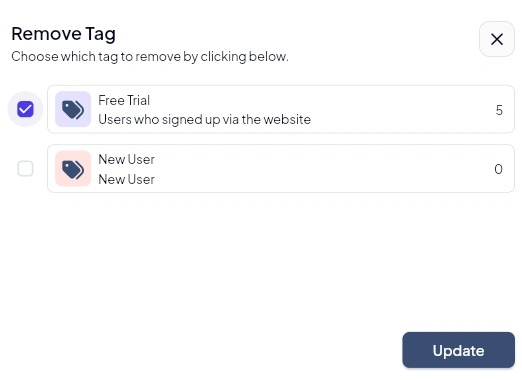
3. Select the tag you want to remove from the selected users, then click"Update".
4. Congratulations, you've successfully removed a tag from users.