
How To Enroll A User Into A Course With A Unique Link
This guide provides step-by-step instructions for enrolling users into courses on the Develop.Me platform, including enrollment through a unique self-enrollment link. By following this guide, admins can quickly enroll users, manage course access, and ensure learners are assigned to the appropriate learning content.
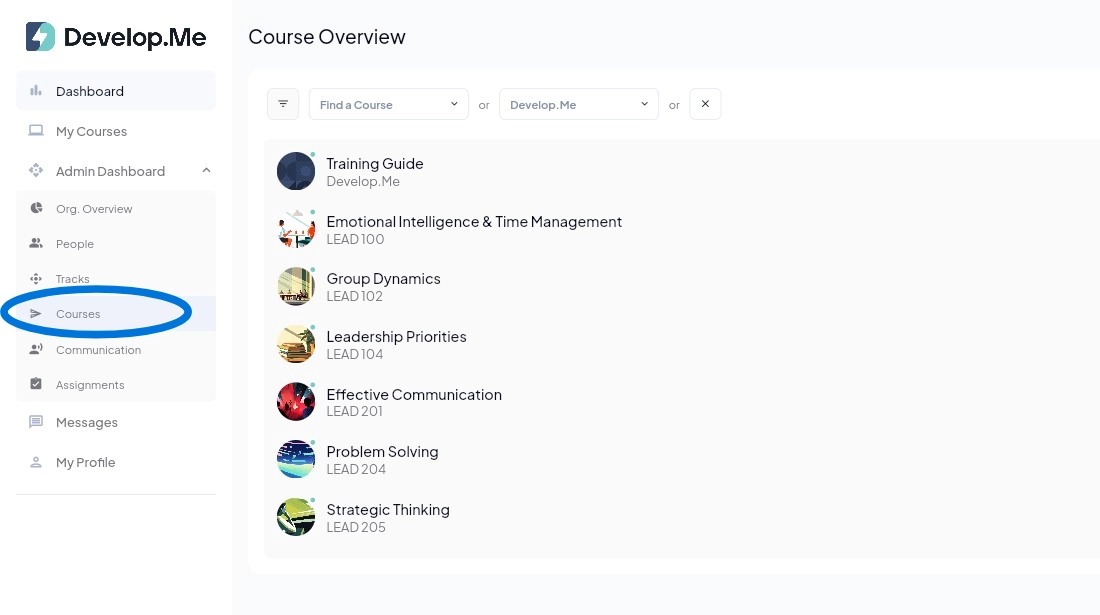
1. Navigate to the "Courses" tab in the left menu bar. Next, click the course you want to enroll the user(s) in.
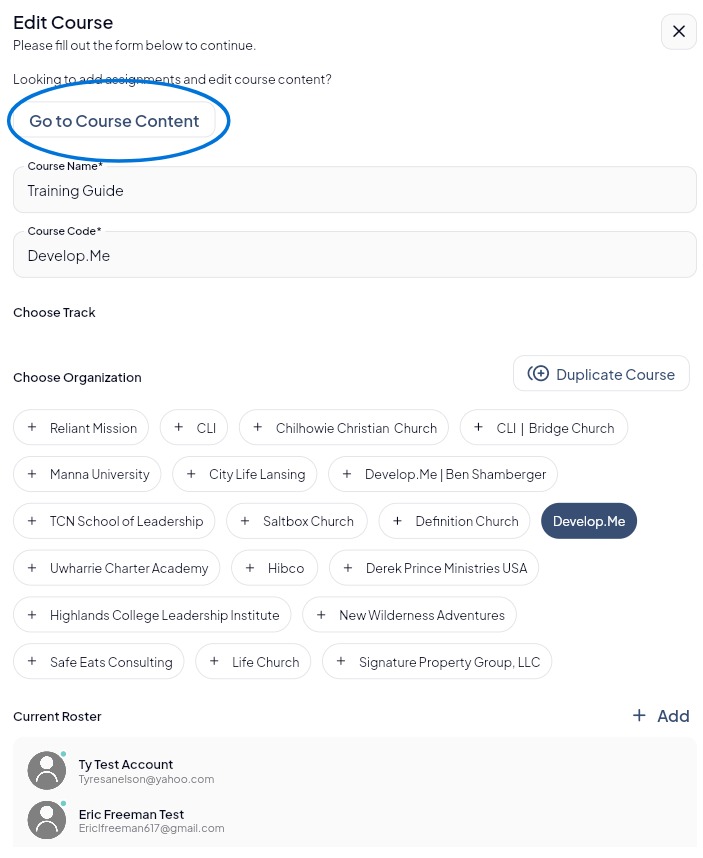
2. To copy the course's unique enrollment link, click the "Go to Course Content" button.
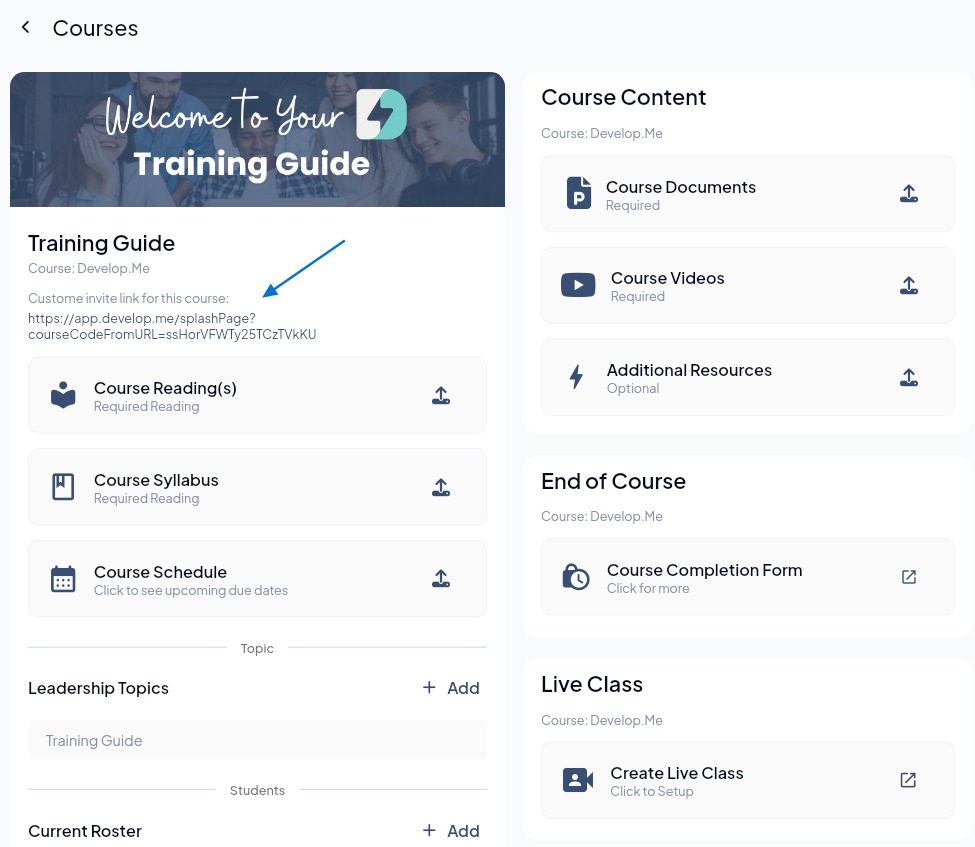
3. Next, copy the unique course link and share it with your users. Using this link, users can create a new profile, enter your organization's code, and automatically be enrolled in the course.
4. Congratulations! You’ve successfully used a unique course link to enroll users into a course.