
How To Enroll A User Into A Course
This guide provides a straightforward approach to enrolling a user into a course on the Develop.Me platform. It offers step-by-step instructions that simplify the enrollment process. By following this guide, admins can quickly add users to courses and ensure they have access to the appropriate learning content.
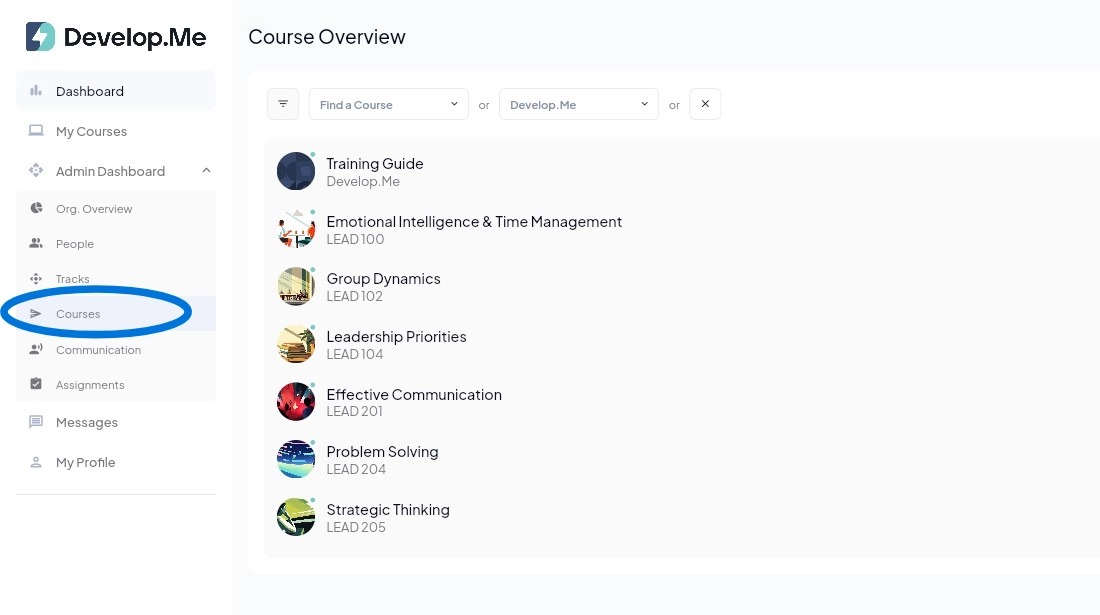
1. Navigate to the "Courses" tab in the left menu bar. Next, click the course you want to enroll the user(s) in.
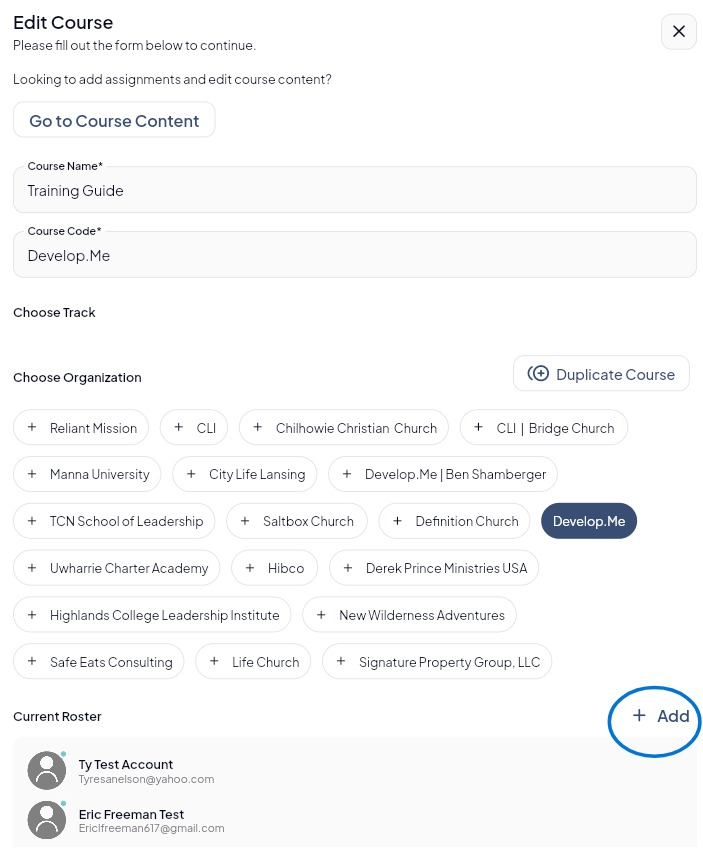
2. To enroll a user in the course, click the “+ Add” button in the Current Roster section. This will allow you to search for and select users to add to the course.
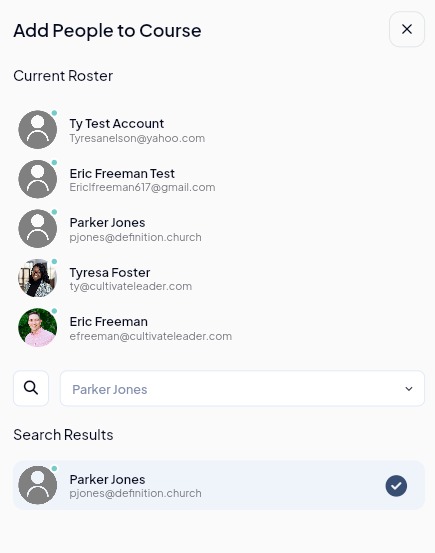
3. Next, use the search bar to find the user you want to add. When their name appears in the search results, click the circle with the checkmark next to their name. This will add the user to the course roster. Once you've enrolled all desired users, close out of this window.
4. Congratulations! You’ve successfully enrolled a user into a course.