
How To Create A New User Account
This guide walks admins through the steps of creating a new user on the Develop.Me platform.
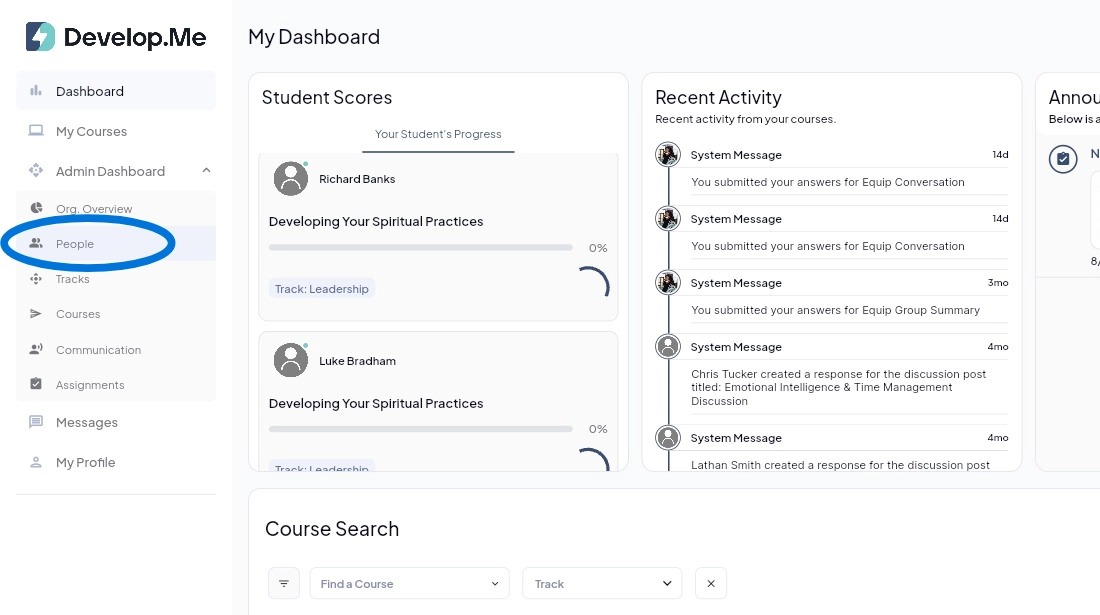
1. Navigate to the “People” tab from the left-hand menu bar to view and manage all users in your organization.
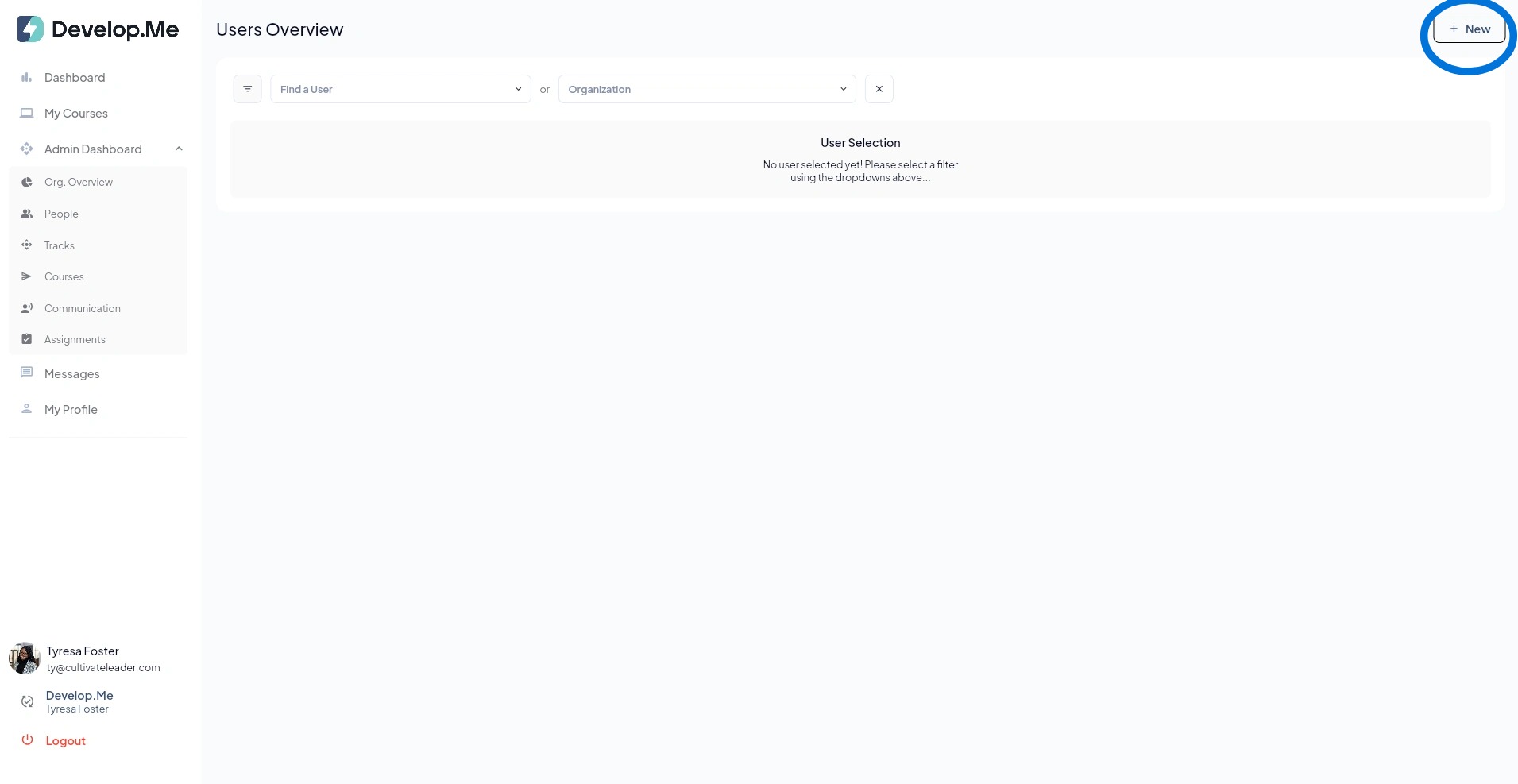
2. Next, click on "+New" in the top right-hand corner.
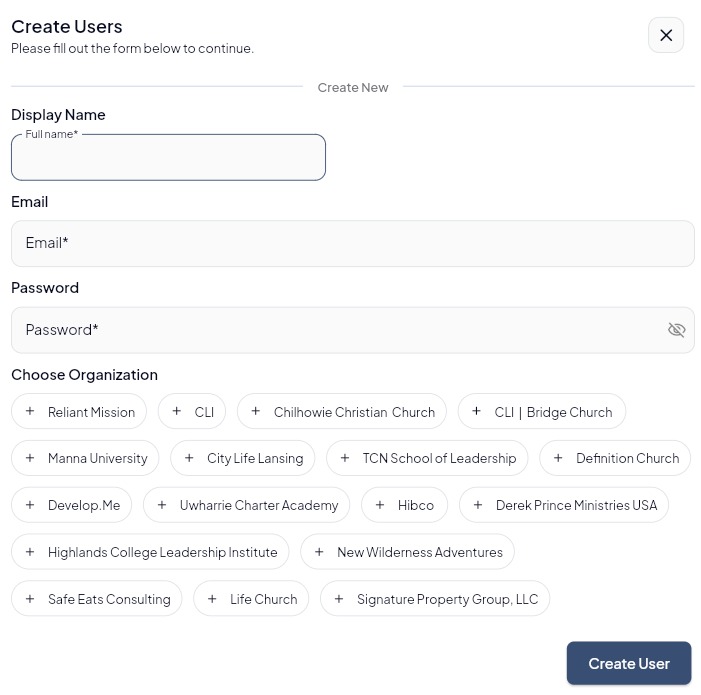
3. Enter the user’s full name (first and last), email address, password, and choose their assigned organization and select create user.
Please note: Admins must create an initial password to activate the account, after which the user will receive an email to set up a new password.
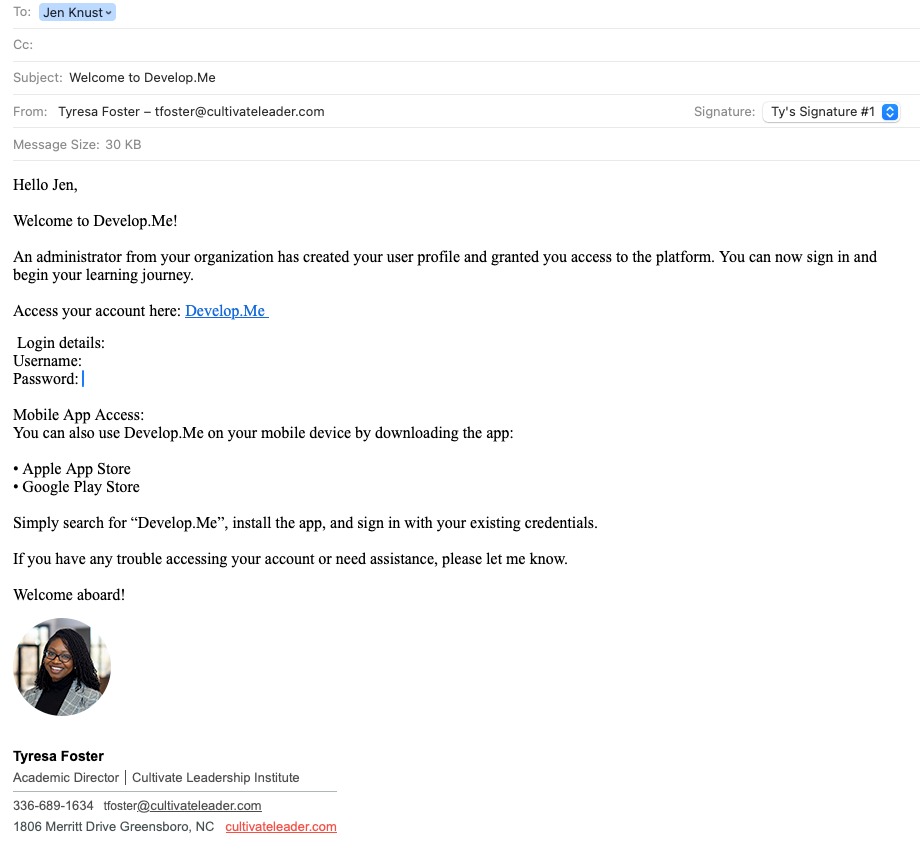
4. Once the user profile has been successfully created, an email window will automatically populate, allowing you to customize the message that will be sent to the new user with their login credentials. Review and edit the subject line and email body as needed, then click Send to deliver the credentials to the user’s registered email address.
5. Congratulations, you've successfully created a new user.